Why Play Drone Strike v3 in 2026?
Drone Strike v3 is a high-octane free browser-based aerial defense game where you pilot a killer interceptor drone to neutralise invading hostile aircraft across three escalating waves. Available instantly on snoopbee.com with no download and no registration required, it runs on desktop, tablet and mobile in seconds.
The game pits your interceptor against waves of increasingly dangerous enemy drones — from simple formation fliers in Wave Alpha to armoured stealth units in Wave Bravo. Your job is to crash your drone directly into hostiles, collect glowing power-ups and survive long enough to earn a top spot on the global leaderboard.
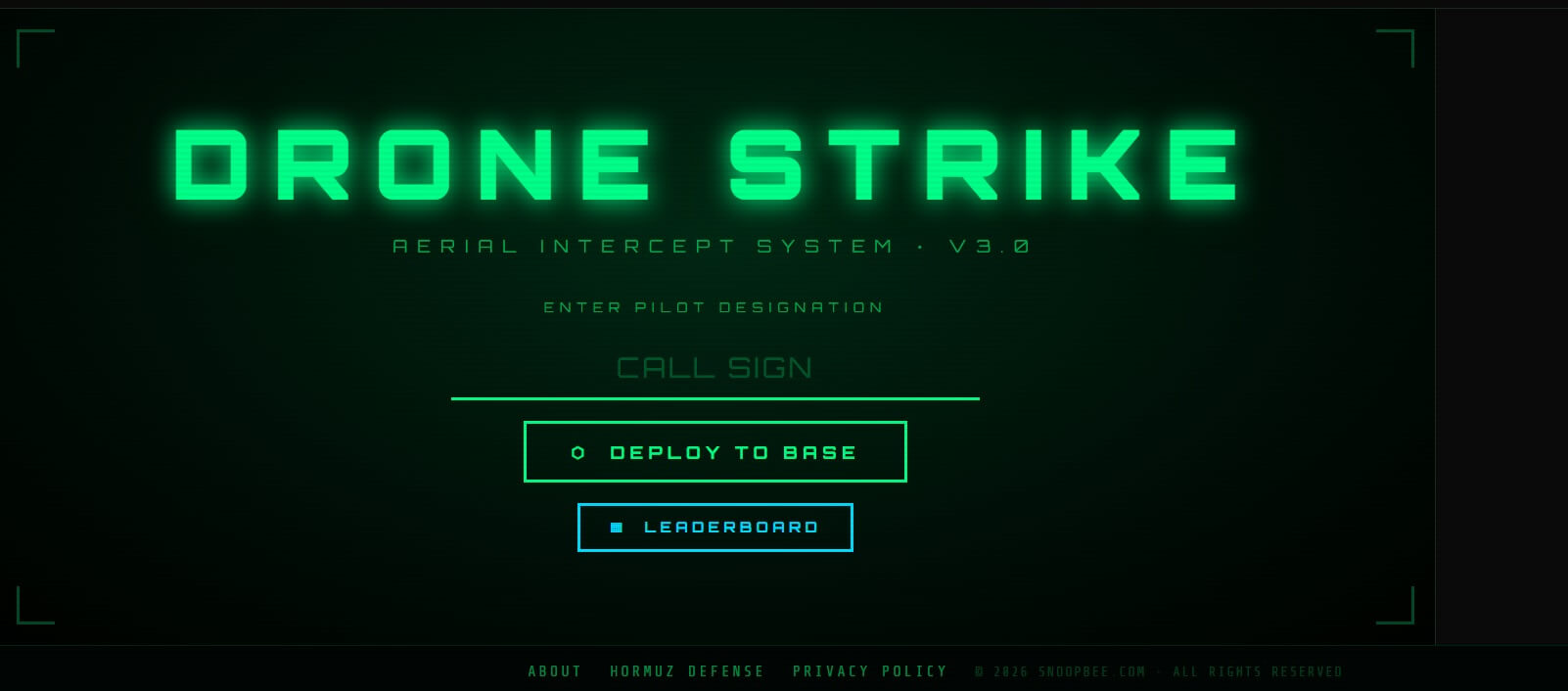
Controls — Desktop vs Mobile
Drone Strike v3 is fully playable on both desktop and mobile with two distinct but equally effective control schemes.
Desktop Controls
| Input | Action |
|---|---|
| Arrow Keys or WASD | Move your interceptor drone in all directions |
| Spacebar | Launch / boost interceptor (confirmed in HUD) |
| Mouse | Navigate menus and leaderboard UI |
Mobile & Tablet Controls
On mobile and tablet, a virtual joystick appears bottom-left for full directional movement. On-screen tap buttons handle all remaining actions. The HUD scales responsively across all screen sizes.
Master the diagonal — pressing two arrow keys simultaneously (e.g. Up + Right) gives you maximum speed at a 45° angle and lets you cut across enemy formations much faster than straight-line movement.
Core Mechanic: The Crash
Unlike traditional shooters, Drone Strike v3's primary combat mechanic is the crash. Your interceptor drone destroys hostiles by flying directly into them — there is no projectile weapon. This makes positioning and approach angles your most important skills.
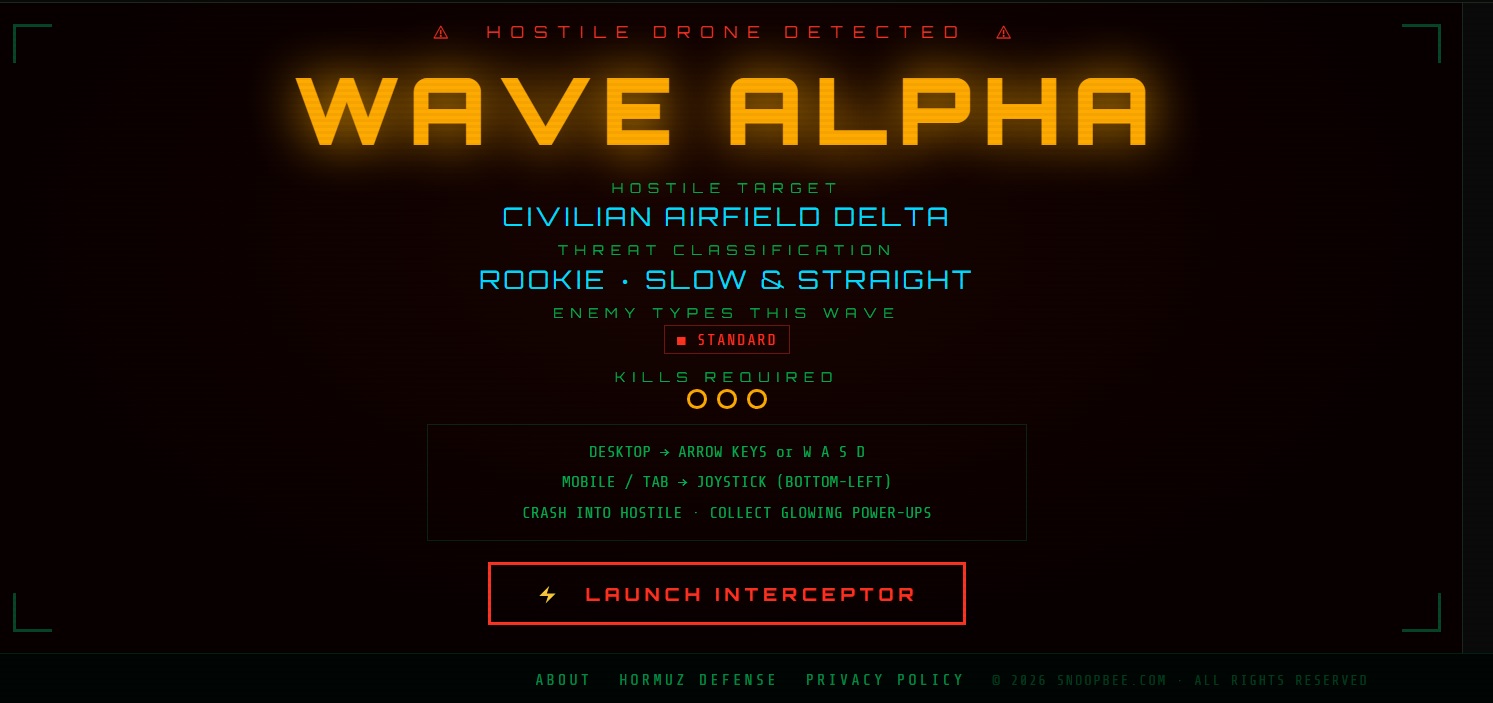
The HUD at the bottom of the screen always shows: CRASH INTO HOSTILE · COLLECT GLOWING POWER-UPS. These two actions are everything. Enemy kills require your drone to make physical contact, while power-ups are collected by flying over them as they appear on the field.
Each successful crash counts as one kill toward the wave's kill target. Your KILLS counter and KILLS THIS WAVE counter (e.g. 3/12) are shown in the HUD at all times. Clear the target to progress to the next wave.
Power-Ups Guide
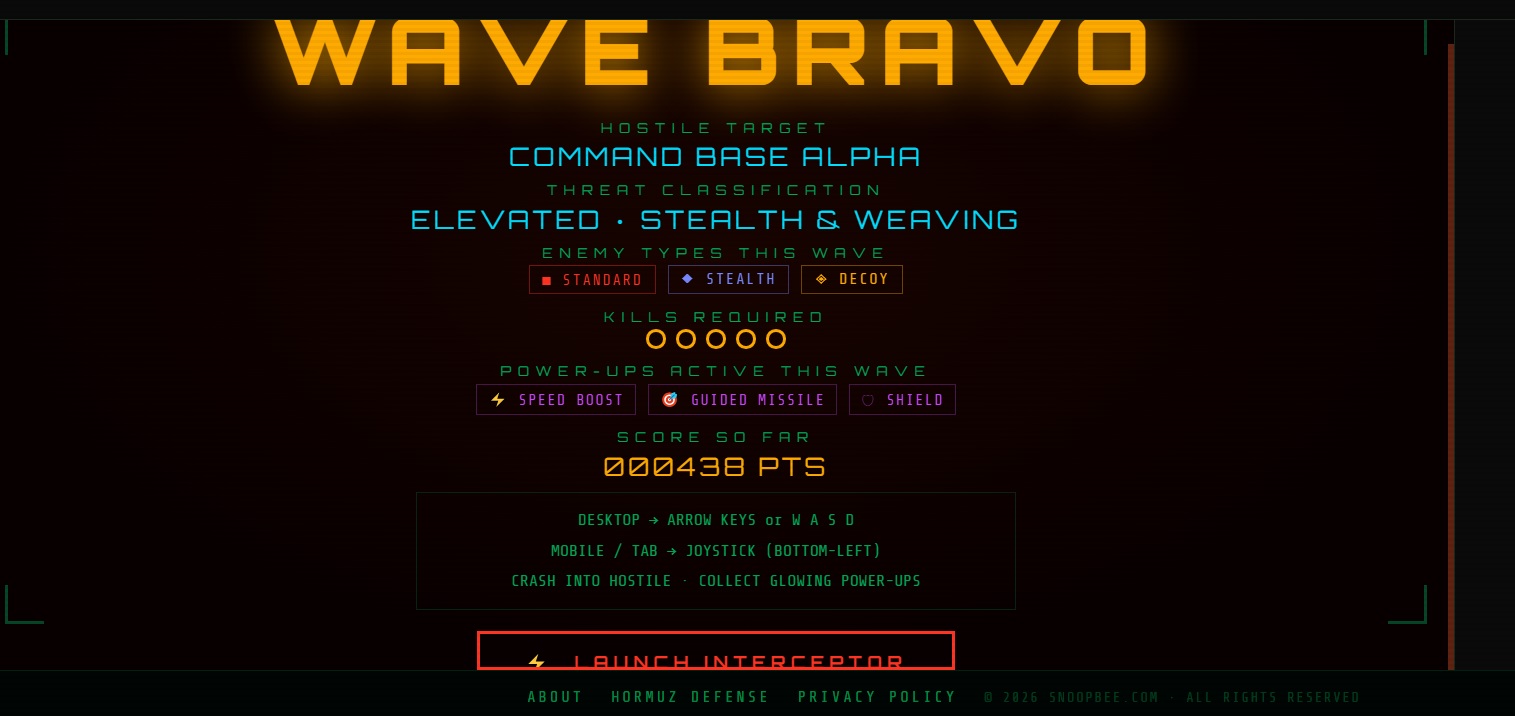
Three power-ups appear as glowing collectibles during waves. Each dramatically changes your tactical options. Fly over them to collect — they do not auto-collect.
| Power-Up | Icon | Effect | Best Used For |
|---|---|---|---|
| Speed Boost | ⚡ | Temporarily increases your interceptor's movement speed significantly | Closing distance on fast formations; escaping tight clusters before a crash |
| Guided Missile | 🎯 | Fires a homing missile that auto-targets and destroys the nearest hostile | Eliminating stealth units or out-of-reach enemies without direct contact |
| Shield | 🛡 | Provides temporary invulnerability, allowing you to pass through hostiles safely | Crashing through dense formations to rack up multiple kills in one pass |
Always prioritise Shield when surrounded. A shielded pass through a tight cluster can net 4–6 kills in a single sweep. Save Guided Missile for stealth units that are difficult to reach. Use Speed Boost proactively before formations tighten, not reactively when you're already boxed in.
Wave-by-Wave Breakdown
Drone Strike v3 structures its challenge across three distinct waves, each announced by an alert banner. Complete each wave's kill target to advance. The wave label always shows in the top-center of the HUD.
Wave Alpha — Learn to Crash
Wave Alpha is your orientation wave. Enemy formations are predictable, speeds are manageable and kill targets are achievable even with basic movement. Use this wave to learn the crash mechanic, identify power-up spawn positions and read the HUD — Kills, Score and the wave progress counter.
At the top of the screen the game broadcasts ⚠ HOSTILE DRONE DETECTED ⚠ / WAVE ALPHA / HOSTILE TARGET before enemies appear. Use those first seconds to position your interceptor centrally so you can react to the first formation's approach direction.
Don't rush. Crash one or two enemies cleanly, collect any power-ups that drop, then advance. Building a clean rhythm in Alpha makes the faster waves far more manageable.
Wave Clear — Transition Phase
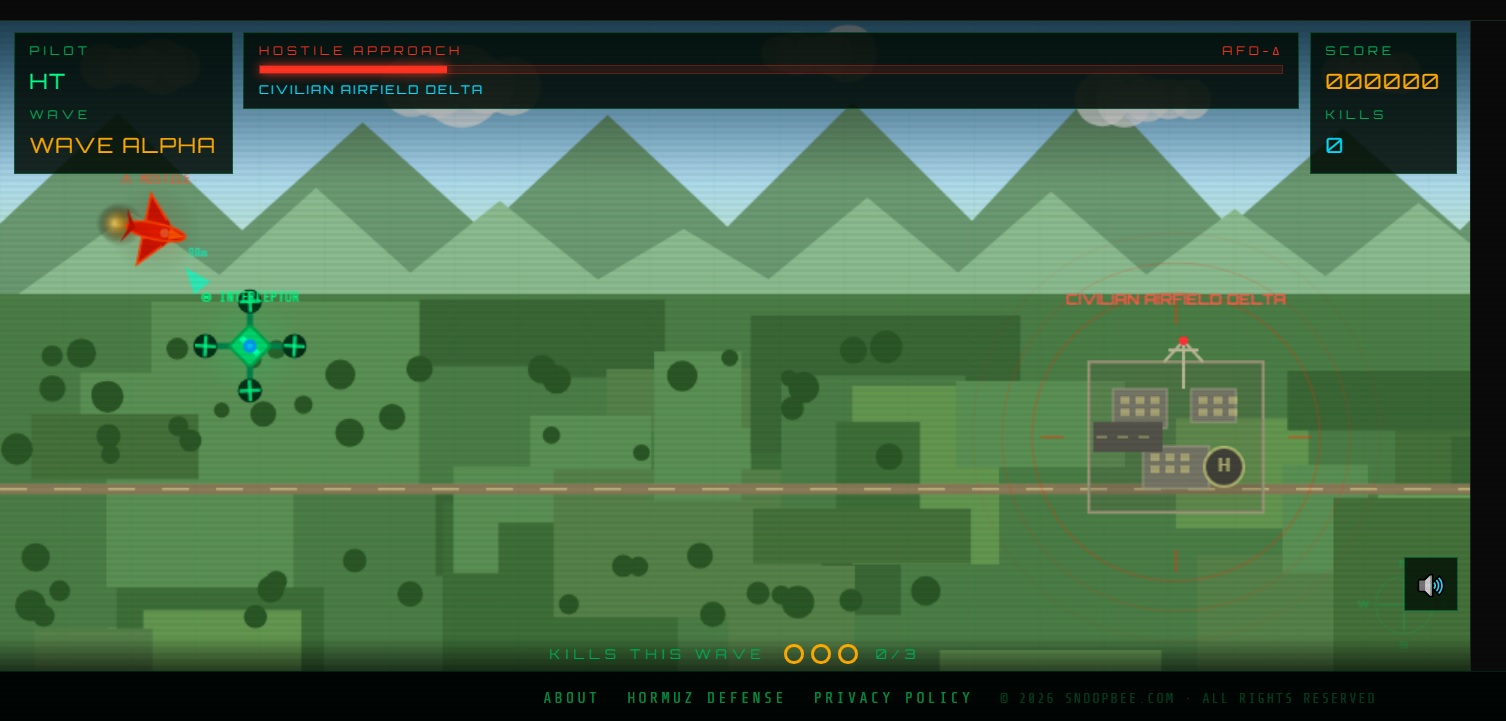
Between each wave, the screen displays WAVE CLEAR — ALL HOSTILES NEUTRALISED along with an incoming announcement for the next wave. This is your moment to take stock of your score, kills-this-wave and overall performance before the next threat spawns. No action is needed — the next wave begins automatically.
Wave Bravo — Full Intensity
Wave Bravo is where your skills are genuinely tested. Enemy count increases, formation patterns become irregular and movement speeds ramp up. Stealth units appear for the first time (see section below), making Guided Missile a critical power-up to prioritise. The power-ups active in Bravo include the full set: ⚡ Speed Boost, 🎯 Guided Missile and 🛡 Shield.
Mission Accomplished
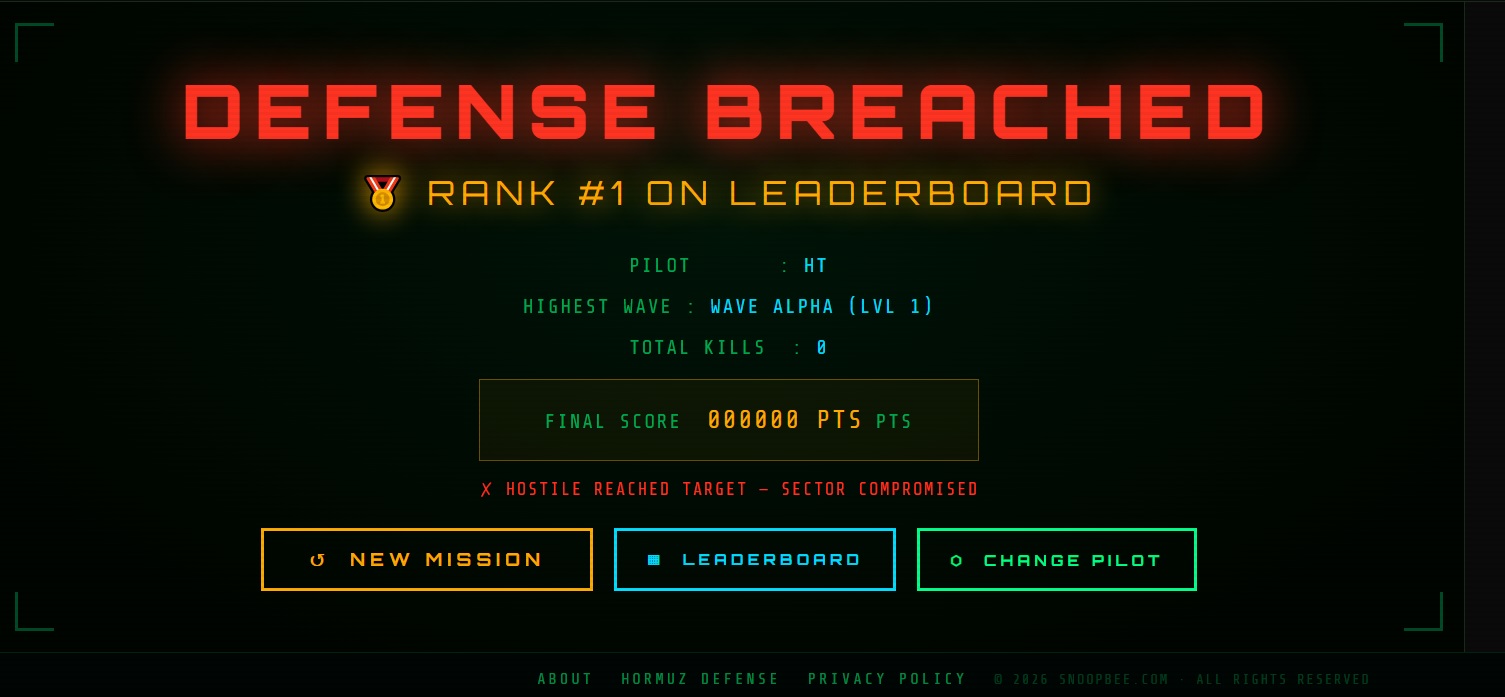
After clearing Wave Bravo, the MISSION ACCOMPLISHED screen displays your full run summary: Pilot callsign, Highest Wave reached, Total Kills and your Final Score. From here you can start a New Mission, view the Leaderboard or Change Pilot.
Enemy Types & Threat Levels
Enemy hostiles in Drone Strike v3 vary in speed, formation type and approach pattern across waves. While the game doesn't label individual enemy types with on-screen names mid-wave, you'll encounter distinct behaviour patterns:
| Pattern Type | Behaviour | Best Counter |
|---|---|---|
| Formation Fliers | Approach in structured rows or V-shapes; predictable path | Head-on crash at speed; use Speed Boost to close distance |
| Fast Scouts | High-speed, erratic movement; hard to intercept cleanly | Shield pass; cut off their trajectory rather than chasing |
| Dense Clusters | Multiple enemies grouped tightly together | Shield + crash through the centre for multi-kills |
| Stealth Units | Partially or fully cloaked; hard to see on screen | Guided Missile (auto-targets); or listen for audio cues |
Stealth Units
Stealth units are the most dangerous enemy type in Wave Bravo. They operate with reduced visual visibility — partially or fully cloaked — making them difficult to track and crash into manually. Two approaches beat them reliably:
- Guided Missile (🎯): The homing missile auto-locks onto the nearest enemy regardless of visibility. If you have one charged, fire it immediately when a stealth unit is suspected on screen.
- Audio cues: Stealth units still generate engine noise. With audio on (toggle 🔊 in-game), their position can be tracked by sound even when visually cloaked.
Never ignore your kill counter when stealth units are active. If the counter stalls but enemies seem absent, at least one stealth unit is still in play. Save your Guided Missile specifically for this scenario.
Leaderboard & Scoring
Drone Strike v3 features a global leaderboard tracking TOP PILOTS across all sessions. Your score is calculated from kills, wave depth and time efficiency. The leaderboard columns are:
| Column | What It Tracks |
|---|---|
| RNK | Your global rank position |
| PILOT | Your entered callsign/designation |
| SCORE | Final score (6-digit format displayed in HUD) |
| KILLS | Total hostile aircraft destroyed |
| WAVE | Highest wave reached (Alpha, Bravo, or Mission Complete) |
| DATE | Date of the run |
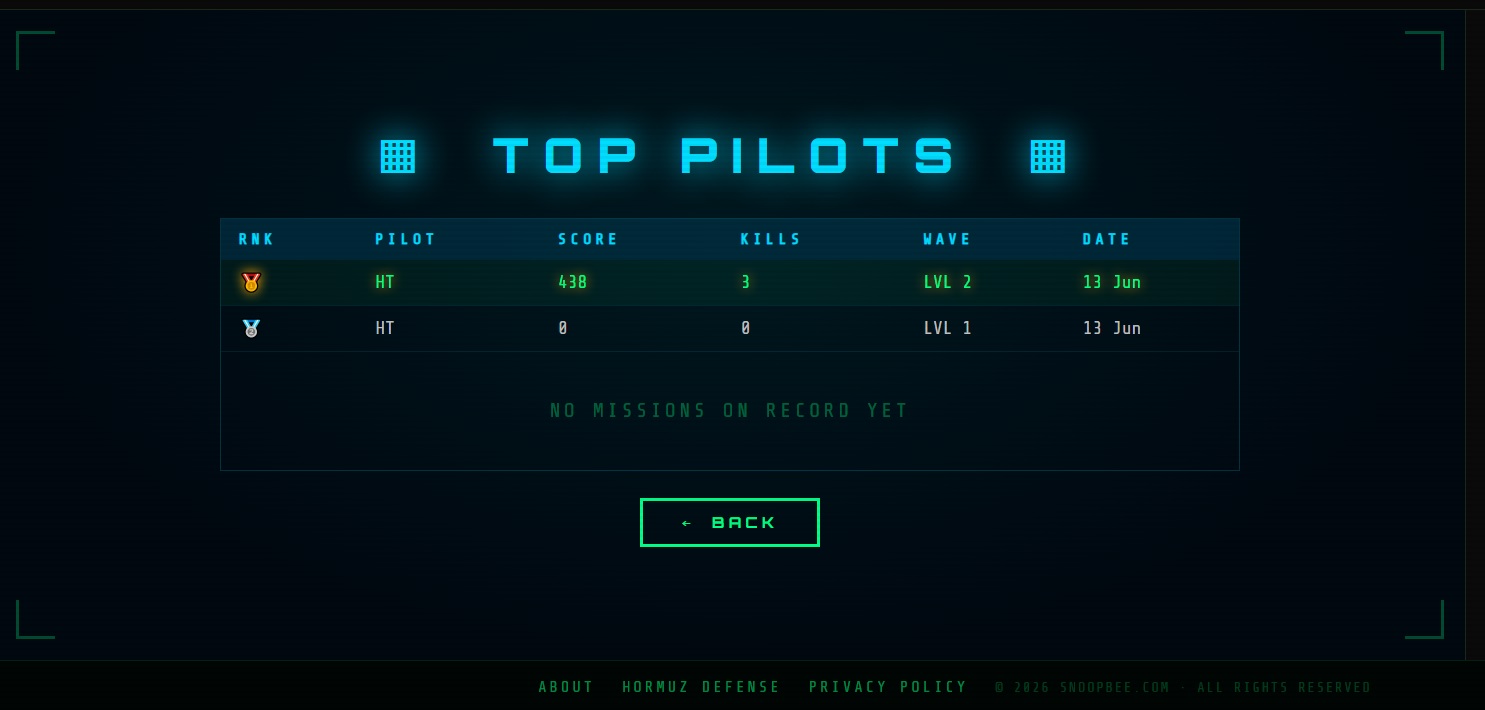
Your score runs in 6-digit format. Kill efficiency — destroying hostiles quickly without extended pursuit — multiplies your score faster than just reaching Wave Bravo with average kills. Aim for clean, rapid crash sequences over cautious one-at-a-time approaches.
15 Pro Tips to Dominate Drone Strike v3
- Choose a memorable callsign. You can't change your pilot name without a new session — pick something leaderboard-worthy before deploying.
- Centre your starting position. From the centre of the field, you can react to formations approaching from any direction without corner-trapping yourself.
- Use diagonal movement always. On desktop, holding two directional keys simultaneously gives the highest speed and the most coverage angle.
- Never chase a single enemy across the entire map. Let it come closer or use Guided Missile — long pursuits leave you out of position when formations spawn.
- Prioritise Shield in dense waves. One shielded pass through a cluster of 5+ enemies is more efficient than 5 individual approaches.
- Save Guided Missile for Bravo. Wave Alpha's enemies are visible and predictable. Hold the Guided Missile for stealth units in Bravo where it's worth far more.
- Keep audio on. The 🔊 toggle matters — sound cues reveal stealth unit positions and approaching formation density before visuals confirm it.
- Watch the kill counter, not just the screen. KILLS THIS WAVE (e.g. 7/12) tells you exactly how far you are from wave completion. Don't lose track of it.
- Don't stop moving. Static positioning in Drone Strike invites formations to converge on you. Constant circular movement keeps your options open.
- Crash through, not at. Aim to exit the other side of a target, not just reach it — a full pass through a formation hits more enemies than a stop-and-reverse approach.
- React to Speed Boost early. Collect ⚡ Speed Boost as soon as it appears — it's most valuable when you have a wide-open field to use it in, not when you're already surrounded.
- Watch the HUD score counter. Your real-time score (000000 format) responds to every kill. If your score stalls, you're missing kills — likely a stealth unit.
- Complete Wave Alpha clean. Perfect Wave Alpha means arriving at Bravo with no wasted time and maximum score momentum. Don't let any Alpha enemy slip past.
- Use the pause between waves. The WAVE CLEAR transition is your breather. Use those seconds to plan your approach angle for the incoming wave before the action restarts.
- Enter a new mission when scores plateau. Fresh missions reset everything — and a clean, confident run always outscores a tired, battered one.
Common Beginner Mistakes
- ❌ Chasing enemies into corners — you'll trap yourself and get surrounded. Stay central or use Speed Boost to escape first.
- ❌ Using Guided Missile on visible Wave Alpha enemies — waste. Save it for stealth units in Wave Bravo.
- ❌ Ignoring the kill counter — the wave only ends when you hit the kill target. Track KILLS THIS WAVE constantly.
- ❌ Moving in straight lines only — diagonal movement is dramatically faster and harder for enemies to predict.
- ❌ Collecting power-ups mid-chase — never break your crash approach to grab a power-up. Clear your immediate threat first, then collect.
- ❌ Turning off sound — stealth units in Bravo are trackable by audio. Silence removes your most reliable stealth detector.
- ❌ Panicking in Bravo — erratic, random movement is less effective than deliberate, directional sweeps. Bravo is harder but the same rules apply: crash, collect, repeat.
Frequently Asked Questions
Is Drone Strike v3 free to play?
Yes — 100% free with no download, no registration and no in-app purchases. Open snoopbee.com/drone_strike_v3.html and play immediately in your browser.
Can I play on mobile?
Absolutely. The game features a virtual joystick (bottom-left) and on-screen tap buttons for full mobile and tablet play. No difference in functionality from the desktop version.
Does my score save?
Your score is submitted to the global leaderboard at the end of each mission and saved under your pilot callsign. You can view TOP PILOTS from the main menu at any time.
How many waves are there?
Three: Wave Alpha, the mid-wave transition, and Wave Bravo. Clearing Wave Bravo triggers the Mission Accomplished screen with your full run summary.
What is the highest possible score?
The score ceiling depends on your kill efficiency and wave completion speed. The leaderboard shows the all-time top scores — aim to beat them with clean, fast crash runs and aggressive power-up collection.
What does the 🔊 button do?
It toggles the in-game audio on and off. We recommend leaving it on — sound cues are an important gameplay tool for detecting stealth units in Wave Bravo.
Ready to Intercept?
3 waves. No download. No registration. Just you, your drone and the leaderboard.
▶ Play Drone Strike v3 Free
💬 Pilot Feedback & Comments
Share your score, tactics, tips or questions about Drone Strike v3. All pilots welcome. (Max 200 words)